
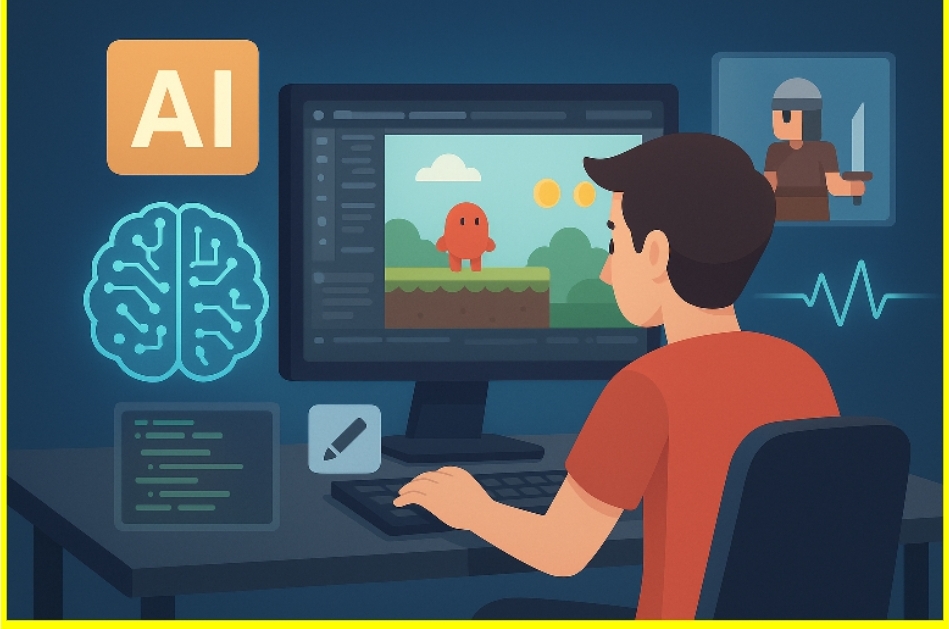
Game development used to be an exclusive club. To get in, you needed to master complex coding languages like C++ or C#, understand advanced mathematics for physics engines, and possess the artistic talent to draw sprites or model 3D characters. For many high school and university students, the barrier to entry was simply too high.
That gatekeeping is crumbling. Artificial intelligence is fundamentally changing how students approach game design. It isn’t just about automating homework; it is about democratizing creation. With the right prompts and tools, a student with a brilliant idea but limited technical skills can now build a playable prototype in a weekend.
AI in game development is shifting the focus from syntax memorisation to pure creativity. By handling the tedious parts of coding and asset generation, AI allows young developers to focus on what actually matters: is the game fun?
The Rise of AI in the Classroom
For years, STEM education focused heavily on the mechanics of coding. Students spent weeks learning how to print “Hello World” or make a calculator. While foundational knowledge is important, the learning curve often discourages creative minds from sticking with computer science.
Now, we are seeing a massive shift in STEM education trends. The goal is moving from “learning to code” to “learning to create with code.” AI tools act as force multipliers. A single student can now wear the hats of a lead programmer, concept artist, sound designer, and narrative writer simultaneously.
This doesn’t mean students aren’t learning. In fact, they are learning faster. By removing the frustration of syntax errors and blank-page syndrome, AI keeps students in the “flow state,” encouraging them to experiment with more complex ideas than they would have attempted on their own.
How Students Are Using AI to Build Games
The application of AI in student projects generally falls into three main buckets: coding assistance, asset generation, and storytelling.
Coding Assistance and Debugging
For beginners, the most intimidating part of game design is the code. A missing semicolon or a misspelt variable can break an entire project.
Large Language Models (LLMs) like ChatGPT are changing this dynamic. Students use these tools to generate boilerplate code for movement scripts, inventory systems, or enemy AI. For example, a student might ask, “Write a C# script for Unity that makes a 2D character jump when the spacebar is pressed.”
More importantly, AI acts as a personalised tutor. If a script throws an error, the student can paste the code into the AI and ask, “Why isn’t this working?” The AI explains the logic, corrects the syntax, and helps the student understand the “why” behind the solution. This immediate feedback loop accelerates the learning process significantly.
Asset Generation for Non-Artists
Historically, “programmer art,” crude stick figures and placeholder boxes, was a hallmark of student games. Not everyone who is good at logic is good at drawing.
Generative AI for games has solved this problem. Tools can now generate 2D sprites, textures for 3D models, and atmospheric background art in seconds. A student building a sci-fi platformer can generate a “cyberpunk city skyline in pixel art style” to use as a backdrop, or create unique UI elements like health bars and inventory icons without opening Photoshop.
This capability allows students to produce games that look polished and professional, which is a massive confidence booster when showcasing their work to peers or adding projects to a portfolio.
Storytelling and Dynamic Dialogue
Writing thousands of lines of dialogue for Non-Playable Characters (NPCs) is exhausting. Students are now using AI to flesh out their game worlds. They can generate lore, backstory, and branching dialogue trees instantly.
Some ambitious student projects are even integrating API calls directly into their games, allowing NPCs to generate dynamic responses based on what the player types. This creates an immersive experience that was previously impossible for a solo student developer to achieve.
Top AI Tools for Student Developers
If you are a student looking to start creating games with AI, or an educator looking to update your curriculum, these are the essential tools currently reshaping the landscape.
- ChatGPT / GitHub Copilot: These are the standard for coding support. They excel at writing scripts in Python, C#, and Lua (common in Roblox). They are also excellent for brainstorming game mechanics.
- Scenario / Midjourney: These image generation tools are perfect for visual assets. Scenario specifically caters to game developers, allowing for consistent style generation for character sprites and items.
- Replica Studios: Bad voice acting can ruin a game. Replica uses AI to generate high-quality voiceovers from text, giving student games a cinematic feel.
- Unity Muse / Roblox Assistant: Major game engines are integrating their own AI. Unity Muse, for instance, allows developers to search documentation and generate code snippets directly within the editor.
Case Study: The Weekend RPG
To illustrate how powerful AI tools for students can be, let’s look at a hypothetical workflow for a student named Alex. Alex wants to build a simple Role-Playing Game (RPG) but has limited art skills.
Friday Night: Ideation.
Alex brainstorms with ChatGPT: “Give me 5 unique concepts for an RPG set in a solarpunk future.” They refine the idea together, outlining the main quest and character classes.
Saturday Morning: The Engine.
Alex opens Unity. They need a movement script. Instead of searching forums for hours, they ask an AI coding assistant to generate a standard top-down movement script. It works instantly.
Saturday Afternoon: The Art.
Alex needs a main character. They use a generative art tool to create a “hero with a solar-powered staff, top-down view, pixel art.” After a few iterations, they have a sprite sheet. They repeat this for enemies and the terrain tiles.
Sunday: The Polish.
Alex creates the dialogue for the quest giver using AI text generation. By Sunday evening, Alex has a playable prototype with a moving character, enemies, and a quest. Without AI, Alex likely would have spent the entire weekend just trying to get the movement script to work.
The Balance: Creativity vs. Automation
While no-code game development and AI assistance are exciting, there is a necessary conversation to be had about balance. Automation can build a game, but it cannot design a good game.
Educators must emphasize that AI is a tool, not a replacement for human creativity. A machine can generate a level layout, but it doesn’t understand pacing, tension, or the emotional payoff of a difficult boss fight. The “fun factor” is still a distinctly human element.
There are also ethical considerations. Students need to understand copyright and the ethics of how generative models are trained. Using AI-generated assets for a class project is generally fine, but publishing a commercial game on Steam with those same assets requires a deeper understanding of intellectual property rights.
Conclusion
We are witnessing a golden age of student creativity. AI in game development is lowering the floor and raising the ceiling. It removes the technical grunt work that typically burns out beginners, allowing them to focus on design, mechanics, and storytelling.
For students, the message is clear: You don’t need to wait until you have a computer science degree to build your dream game. The tools are ready. The only limit left is your imagination. See it in action with community-created games like Infinite Zen Quarter or Scrap Fisher on Astrocade, where AI makes instant creation possible.
Ready to start building? If you want to learn the fundamentals of design before diving into the tools, check out our guide on [Introduction to Game Design] or sign up for our upcoming workshop to build your first prototype.